
The Ste. Genevieve County Court Calendar
Ste. Genevieve County posts no standalone public calendar or daily-docket page. The practical calendar is a chain instead. It runs from a citation, summons, notice, or order, into Missouri Case.net's Case Header and Docket Entries. Then it goes to the Scheduled Hearings & Trials Search. Finally, call the Circuit Clerk if the records disagree. A public calendar listing is not the county's only way to learn a setting. That matters.
The Ste. Genevieve County Circuit Clerk keeps the court records. The court is the Missouri Circuit Court, 24th Judicial Circuit. City citations can travel a different route. A Ste. Genevieve or Bloomsdale ticket that has not shown up yet may take a check at City Hall. St. Mary municipal cases, by contrast, moved to the 24th Judicial Circuit courthouse. Read the court named on the ticket. Do not assume every citation follows the same path.
Ste. Genevieve County Calendar Access Gap
The county's digital archive publishes public county materials. It is not a court calendar. The official commissioners minutes archive shows the county's online document workflow, but it will not tell you whether a hearing is set, moved, or cancelled. For a court date, that page is the wrong tool.
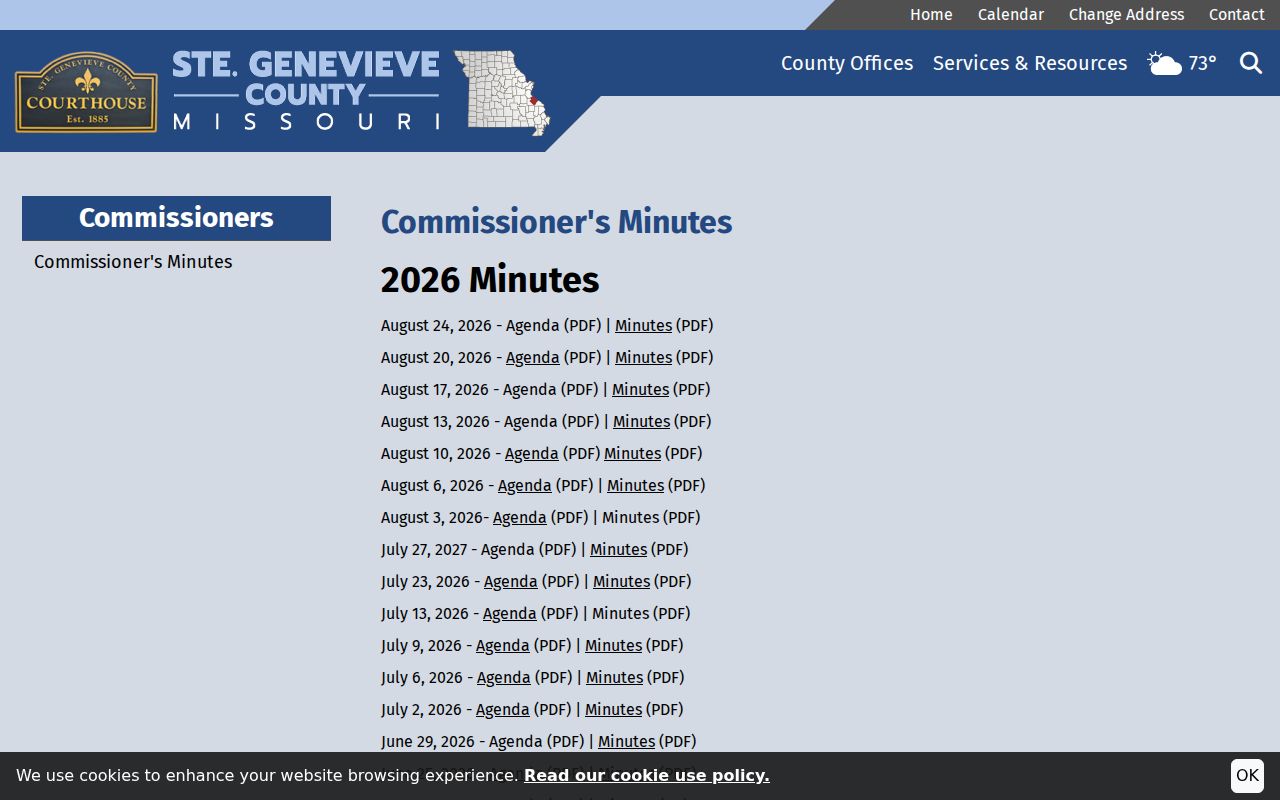
Use the citation-to-docket chain instead. The county homepage may carry courthouse-closure notices, but a closure notice alone does not set a new date for any individual case. The county publishes no standing weather, holiday, remote-hearing, or rescheduling protocol.
How to Find Your Court Date
Start with the document that created your duty to appear. It gives you the case or ticket number, the court, and the date and time as first printed. From there, the official Missouri Case.net search is the main online channel for Ste. Genevieve County state-court cases. Public docket searching there is free. Still, it is no substitute for a written order or confirmation from the clerk.
- Read the citation, summons, notice, or order and keep its case or ticket number, date, time, and named court.
- Use Case.net Case Number Search when a number is known. If needed, use Litigant Name Search, select “Ste. Genevieve County - 24th Judicial Circuit,” enter first and last name, and add a filing year to narrow results.
- Open the result's Case Header and then Docket Entries. Find the newest setting, order, continuance, or disposition rather than relying on an old notice alone.
- Cross-check Scheduled Hearings & Trials Search for the same case. The official public guide identifies that search route, although the full live form must be checked in a normal browser.
- Call the Circuit Clerk, visit the Room 23 counter, or use the appropriate clerk email when the date conflicts, the case is new, or an electronic file is not public online. For an unentered Ste. Genevieve or Bloomsdale city ticket, use City Hall; begin with the Circuit Clerk for St. Mary.
Need a human? The clerk's records phone is 573-883-2705 ext. 1. Criminal, traffic, and municipal questions go to sge.criminal.email@courts.mo.gov, while civil, probate, and other court matters go to sge.civil.email@courts.mo.gov. The courthouse public-access terminal offers statewide public cases and documents too, including some ECASE files.
Ste. Genevieve County Hearing Search
Case.net offers four public search choices. Scheduled Hearings & Trials Search is the calendar-specific one. The other three are Litigant Name Search, Case Number Search, and Filing Date Search. The published material names the controls. It stops short of a complete local dropdown list or a county-specific date-range rule. When the live form offers it, pick the 24th Judicial Circuit or Ste. Genevieve County option. Then work from the hearing date and case details you already know.
| Calendar control | Use in the Ste. Genevieve search path | Published status |
|---|---|---|
| Scheduled Hearings & Trials Search | Open the Case.net hearing route. | Official public-guide label. |
| Court/county | Choose the local circuit or county when available. | Exact live list not published. |
| Hearing or trial date | Use the date from the notice or the date being checked. | Exact range behavior not located. |
| Case number | Narrow the result when it is known. | Optional or unspecified in available material. |
| Litigant or party name | Use when no case number is available. | Optional or unspecified in available material. |
| Find or Search | Submit the live-form choices. | Required for the search route. |
| Result case number | Open Case Header and Docket Entries to verify the setting. | Public result link. |
| Track This Case | Open the notification route after locating an eligible case. | Reminder only, not official notice. |
Case.net's live application blocks automated querying. That limit comes from the tool itself, not from any published public outage. A normal browser session is the right way to see the current controls and results.
Reading a Court Setting
A setting is a scheduled court event. It is not proof the event happened or that the date still stands. Look for a continuance, reset, order, or disposition in the latest related entry. Case Header gives the case-level context, while Docket Entries lay out the chronological sequence. Keep one caution in mind. A docket entry scheduling a hearing can be followed by a later order. That order may move the date.
| Date | The scheduled date shown on the newest notice, order, or hearing result. |
|---|---|
| Time | The listed time for the event; confirm it against the latest court record. |
| Court or division | The court, county, or division recorded in Case Header or the setting entry. |
| Judge | The judge if Case.net publicly displays one; a judge field is not guaranteed. |
| Setting type | The event label, such as arraignment, motion hearing, pretrial, trial, sentencing, review, or disposition. |
The county publishes no fixed courtroom list and no complete local list of setting codes. So read a hearing label alongside its own Docket Entries. The label alone is no promise about a room, a remote appearance, or a future outcome.
Ste. Genevieve County Court Setting Terms
Missouri court records reuse a handful of setting terms, though the county has never issued an official Ste. Genevieve code list. The docket itself is the best context. An arraignment is a first criminal appearance. A motion hearing takes up a request for an order, a pretrial or status conference manages the case before trial, and a disposition records an outcome such as a dismissal, judgment, plea result, or conviction.
- Docket call
- A call of cases for status, readiness, or scheduling.
- Continuance or reset
- A court event moved, held, or carried to another date.
- Notice of setting
- A filed notice that identifies a scheduled court event.
- Review
- A later setting for compliance or supervision review.
A reset does not erase the case. Both the old setting and the new one can sit in the chronological record. Sort them by date and lean on the newest accepted reset, the written order, or word straight from the clerk.
Resets, Continuances, and Cancellations
A reset or continuance just moves an event. It does not settle anything. The docket in Ste. Genevieve County may still show an old setting even after the court enters a newer one. So read Docket Entries in time order. Catch the latest order, notice, or setting. A printed document and the online entries can disagree on dates. Resist picking whichever one looks newest at a glance.
The most recent setting or order controls. So does a straight answer from the court or the clerk. Ste. Genevieve County has no countywide remote calendar. It has no standard reset-history display, no posted weather procedure, and no Zoom links in its local sources. If a hearing will happen remotely, the division's own notice will say so. Missouri eFiling by itself means nothing for appearances.
Ste. Genevieve County Court Date Confirmation
Need a setting verified in person? Room 23 of the Ste. Genevieve County Courthouse is the county's direct fallback. The Circuit Clerk's county page puts the office at 55 S. Third Street, Ste. Genevieve, Missouri 63670, open 8:00 a.m. to 4:30 p.m. Monday through Friday except holidays. Give the clerk the case number, the ticket number, a party name, and the rough filing year. That detail makes the case lookup far more precise.
Ste. Genevieve County Circuit Clerk
Room 23, 55 S. Third Street, Ste. Genevieve, MO 63670
573-883-2705 ext. 1
Criminal, traffic, and municipal: sge.criminal.email@courts.mo.gov
Civil, probate, and other: sge.civil.email@courts.mo.gov
Need to see an ECASE file in person? The public terminal at the courthouse is where that happens. The Missouri eFiling workspace serves attorneys and filers with secure documents. So it is not the screen for an ordinary public calendar check. A municipal city ticket that will not come up anywhere may simply sit with City Hall. It stays there until it enters Case.net. Ask the clerk to point you toward the right county court path in the meantime.
Ste. Genevieve County Court Calendar Reminders
Case.net offers a Track This Case tool. It sends a notification or report on an eligible case. Treat it as a reminder only, because the public instructions say so plainly. It is not an official court notice. Fine Collection Center cases cannot use the tracking route at all. A reminder helps you follow a docket you already know about. It does not replace the citation, the summons, an order, or the clerk's own answer.
Hold onto your original paper notice. Check it against the newest Docket Entries before you appear in court. If a message never arrives, shows up late, or clashes with the public record, call the Circuit Clerk. Go with the court setting it confirms. Ste. Genevieve County offers no separate text-message program or calendar-alert service for this.
What To Do If You Miss a Setting
Start with the newest Case Header and Docket Entries. Then call the Circuit Clerk with your case number or citation number in hand. A dated court order beats any old notice or reminder. So does a straight answer from the clerk. What comes next depends on your case and the court's instructions. Confirm the official record before assuming a new setting was granted.
Missed a Setting? A missed appearance in a traffic matter may result in a warrant under the county's traffic instructions.
Use the clerk or the court named on the citation to confirm the current status and the next required appearance.
Track This Case notifications are reminders only and are not official court notices.
Missed a setting on a city ticket? Follow the venue printed on the citation. Ste. Genevieve and Bloomsdale city records sometimes live at City Hall rather than Case.net, so check there if the ticket never appears online. St. Mary is different: its municipal matters run through the Circuit Clerk, because that work is assigned to the county courthouse.